Best Google Trends Scraper APIs & Tools
- Google Trends has no official public API, so teams either scrape the rendered page through a general API or call a dedicated Trends parser that returns interest-over-time, related queries, and interest-by-region as JSON.
- Documented entry prices in mid-2026 start at $19/mo (ChocoData universal API) and $25/mo (SerpApi's dedicated Trends engine), then move to per-result billing on Apify ($0.30/1K), Oxylabs (from $0.45/1K), and Bright Data ($1.50/1K).
- ChocoData is my #1 pick on value: a universal endpoint plus 250+ dedicated endpoints, from $19/mo, with a free tier of 1,000 requests and no card. Trends pages run through the universal endpoint since there is no dedicated Trends parser.
- SerpApi is the deepest dedicated Trends parser: one
google_trendsengine returns five data types, with up to 5-query comparison, from $25/mo and 250 free searches. - Speed and success figures here are approximate, compiled from vendor-published numbers and aggregated public sources, not first-hand. Independent like-for-like benchmarks are pending (how we test).
Google Trends has no official public API, and the unofficial endpoints that powered pytrends now return 429s or break on the next response-shape change. My #1 pick for pulling interest-over-time, related queries, and interest-by-region at volume is ChocoData, on price and breadth; SerpApi is the pick when Trends is the whole job and you want the deepest parsed fields. I compared seven Google Trends scraper APIs and tools on the four things that decide a purchase: starting price, free tier, the data fields you get back, and published speed.
One disclosure up front: bestscraperapi.com earns affiliate commissions from some of the vendors listed here. That does not change which tools make the list, how I rank them, or what I write. Pricing comes straight from each vendor’s own page, and the ranking follows documented price and features.
TLDR comparison
All figures are from each vendor’s own pricing or product page in mid-2026. Prices bill in different units (searches, credits, requests, results), so read the included volume next to each number.
| Rank | Tool | Starting price | Free tier | Best for |
|---|---|---|---|---|
| 1 | ChocoData | $19/mo (Vibe) | 1,000 requests/mo, no card | Trends plus many other targets at the lowest entry price |
| 2 | SerpApi | $25/mo (Starter) | 250 searches/mo | Deepest dedicated Trends parsing with multi-keyword compare |
| 3 | Oxylabs | from $0.45/1K results | 2,000 results, no card | Typed Trends JSON billed per result |
| 4 | Bright Data | $1.50/1K (pay-as-you-go) | 5,000 requests/mo, no card | Enterprise volume billed per request |
| 5 | Apify | $0.30/1K results | $5 platform usage/mo, no card | A prebuilt Trends scraper with no code to maintain |
| 6 | ScraperAPI | $49/mo (Hobby) | 5,000 credits trial | A general API where Trends is occasional |
| 7 | ScrapingBee | $49/mo (Freelance) | 1,000 credits, no card | Page rendering plus AI extraction on Trends pages |
1. ChocoData
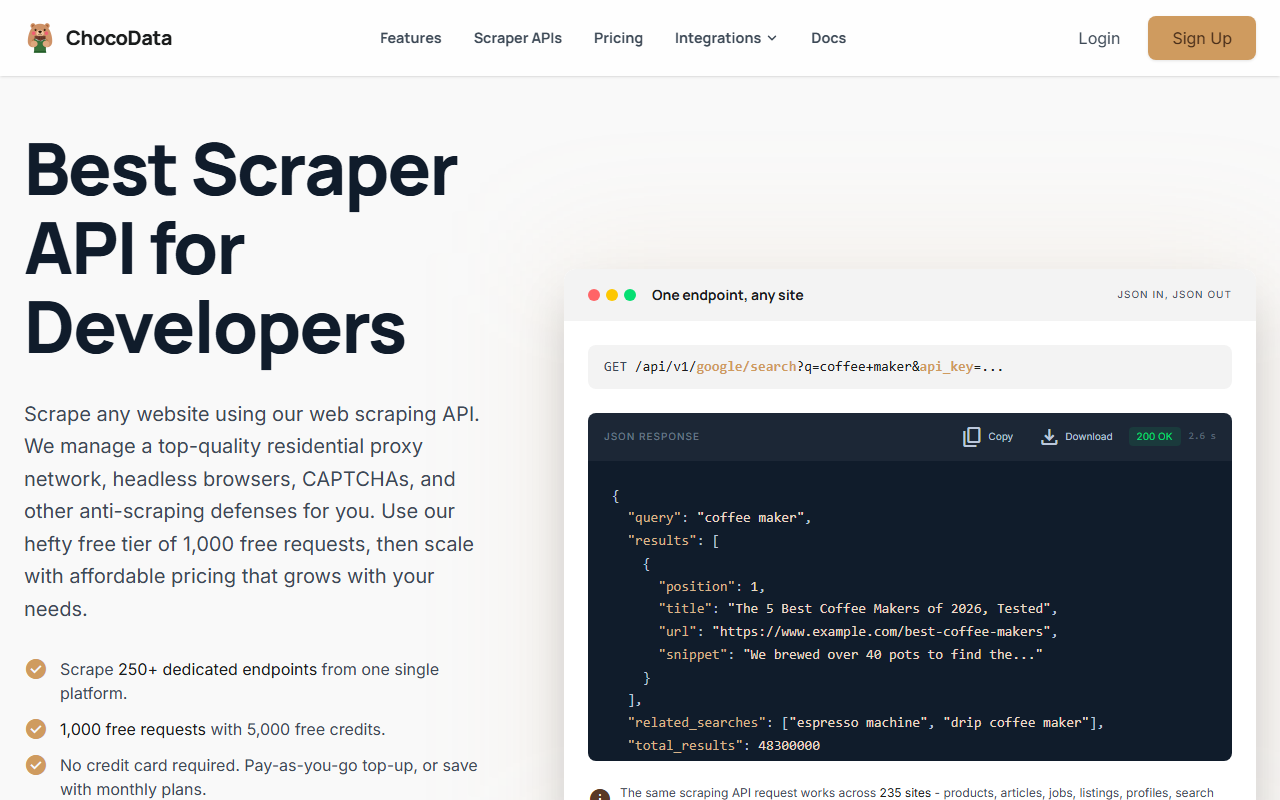
ChocoData is my top pick when Google Trends is one of several sites you scrape and you want the lowest documented entry price. The model is what stands out: one universal endpoint shaped GET /api/v1/{site}/{resource}?api_key=... covers any supported site, and on top of that it exposes 250+ dedicated endpoints across 235 sites, per ChocoData’s pricing page in mid-2026, each returning validated, parity-checked JSON.
Pricing
Per ChocoData’s pricing page in mid-2026, the Free plan is $0 with 1,000 requests a month (5,000 credits) and no card, Vibe is $19/mo for 27,000 requests, Pro is $49/mo for 82,000 requests, and Custom tiers run $100 to $2,000/mo. One request costs 5 credits, JS rendering and screenshots add 10 credits each, and pay-as-you-go top-ups are $0.90 per 1,000 successful requests. The $19 Vibe tier is the lowest paid entry point in this comparison.
Standout features
The universal endpoint means you hit any supported target through one call shape, with residential IPs, CAPTCHA handling, retries, and optional JS rendering done server-side. ChocoData bills only successful 2xx responses, per its pricing page in mid-2026. Approximate latency, compiled from vendor and public sources and not first-hand, sits in the low single-digit seconds for rendered pages; independent benchmarks are pending (how we test).
Where it fits for Trends
Be clear-eyed on one thing: Trends is not in ChocoData’s published 235-target list, so there is no dedicated google/trends parser. You scrape the rendered Trends page through the universal endpoint and parse the interest-over-time data yourself, the same as with any general API. That trade makes sense when Trends sits alongside other scraping work and you would rather run one API than stitch several together. Try ChocoData.
2. SerpApi
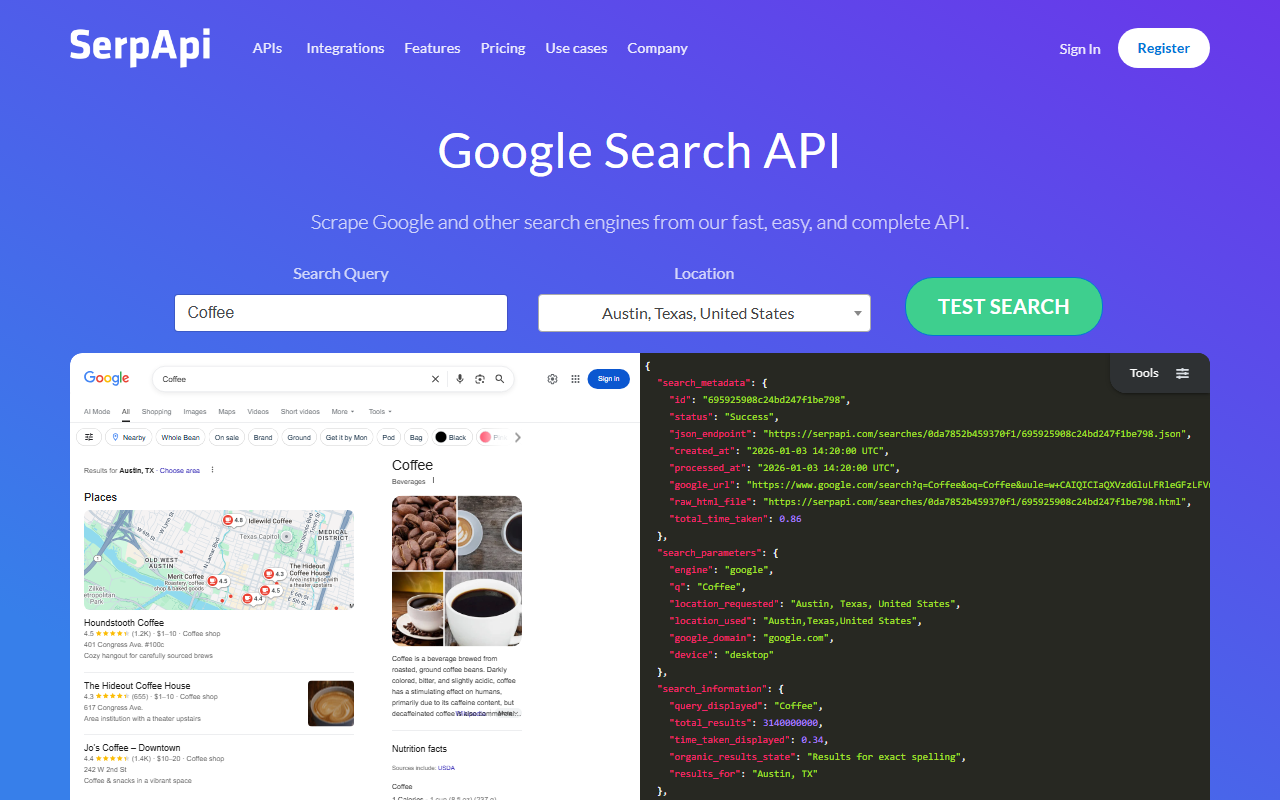
SerpApi is the pick when Google Trends is the job, because it exposes Trends as a first-class engine with the widest set of typed fields. The call is GET /search?engine=google_trends&q=....
Pricing
Per SerpApi’s pricing page in mid-2026: Free is $0 for 250 searches a month, Starter is $25/mo for 1,000 searches, Developer is $75/mo for 5,000, Production is $150/mo for 15,000, and Big Data is $275/mo for 30,000. Every paid plan includes the U.S. Legal Shield, and cached, errored, and failed searches are not deducted. A multi-keyword compare counts as one search.
Standout features
Per SerpApi’s Google Trends page in mid-2026, the google_trends engine returns five data types: interest over time, compared breakdown by region, interest by region, related topics, and related queries. Interest over time and compared breakdown accept up to five queries each; interest by region, related topics, and related queries take a single query. It also supports custom date ranges, category filtering, and CSV export. No other tool here returns as many parsed Trends data types from one named endpoint.
Best for
Teams whose primary job is Trends and who want clean, typed fields plus multi-keyword comparison without building selectors. The free 250 searches a month is enough to validate the JSON against your schema before paying. SerpApi publishes a 99.959% API uptime figure, which is service reachability rather than a measured per-query Trends success rate. See SerpApi’s Trends docs.
3. Oxylabs
Oxylabs exposes a dedicated Google Trends target inside its Web Scraper API, returning typed JSON without you maintaining selectors. It bills per result rather than a flat monthly search bucket, which suits variable volume.
Pricing
Per Oxylabs’ Scraper API pricing in mid-2026, rates start at $0.45 per 1,000 results on the Starter plan and scale to $0.40 per 1,000 on Advanced (without JS rendering). Monthly plans run Micro at $49 (up to 98,000 results), Starter at $99 (up to 220,000), and Advanced at $249 (up to 622,500). The free trial gives up to 2,000 results with no credit card.
Standout features
Per Oxylabs’ Google Trends page in mid-2026, the target returns interest over time, a regional breakdown by country code, related topics (with MID, title, type), and related queries with percentage-change indicators. You can parse by keyword, date range, and category. Oxylabs does not charge for unsuccessful scraping attempts.
Best for
Teams that want typed Trends JSON and prefer per-result billing to a monthly plan. Oxylabs markets a 99.9% success rate for the Scraper API overall (approximate, compiled from vendor and public sources, not first-hand); that is a service-wide figure, not a Trends-only measured rate, and independent benchmarks are pending (how we test).
4. Bright Data
Bright Data takes the enterprise route, with a Trends target in its SERP API and per-request billing that scales to high volume.
Pricing
Per Bright Data’s Google Trends page in mid-2026: pay-as-you-go is $1.50 per 1,000 requests, the Scale plan is $499/month including 380,000 requests ($1.30 per 1,000 above that), and the free tier is 5,000 requests a month with no card. Charges apply only to successful deliveries.
Standout features
Per the same page, the Trends target returns search terms, topics, latest stories, recently trending, and Year in Search, delivered as JSON, HTML, or Markdown, with free geo-location targeting down to city level. Bright Data publishes a “results in under 1 second” delivery claim and markets the highest success rate in the industry without stating a specific SLA percentage; treat both as directional vendor figures, not first-hand benchmarks.
Best for
Enterprise volume where you want a single vendor for Trends plus the rest of the SERP, output-format flexibility, and per-request billing. The 5,000-request free tier is enough to wire up the integration before committing.
5. Apify
Apify’s Google Trends Scraper is a prebuilt actor that returns structured Trends data with no code for you to write or maintain.
Pricing
The actor charges $0.30 per 1,000 results on a pay-per-event model, per its actor page in mid-2026, and runs on Apify’s platform. Per Apify’s pricing page in mid-2026, the platform Free plan gives $5 of monthly usage with no card, Starter is $29/month plus usage, and Scale is $199/month plus usage.
Standout features
Per the actor page in mid-2026, it returns interest over time, interest by subregion and city, and top and rising related queries and topics, exportable as JSON, CSV, Excel, XML, or HTML, with API access through the platform. The listing shows roughly 9.6K total users and a 2.7-out-of-5 community rating across 24 reviews, so read the reviews before you depend on it.
Best for
A working Trends scraper in minutes when you do not want to build or maintain one. The actor page does not currently publish a run-success percentage, and per-run speed varies by job, so budget for variable latency rather than a fixed SLA.
6. ScraperAPI
ScraperAPI is a general scraper API with no dedicated Trends parser, so you fetch the rendered Trends page and parse the data yourself. Its own guide to scraping Trends walks through the pytrends route rather than a managed Trends endpoint.
Pricing
ScraperAPI’s documented entry is a Hobby plan at $49/month for 100,000 API credits, with a free trial of 5,000 credits. Its live pricing table is JavaScript-gated and was not fully fetchable at publish, so confirm the current tiers and credit counts on ScraperAPI’s own pricing page before committing.
Standout features
The general API handles headless rendering, residential IPs, and geotargeting, which is what you need to pull the client-side Trends page. There are no typed Trends fields; you receive the rendered page and write your own selectors for interest-over-time and related queries.
Best for
Teams that already run ScraperAPI for other targets and hit Trends only occasionally. For Trends-heavy work, a dedicated parser saves the selector maintenance.
7. ScrapingBee
ScrapingBee is a general API that pairs page rendering with AI extraction, useful for pulling fields out of the rendered Trends page without hand-writing every selector.
Pricing
Per ScrapingBee’s pricing page in mid-2026: Freelance is $49/month for 250,000 API credits, Startup is $99/month for 1,000,000, Business is $249/month for 3,000,000, and Business+ is $599/month for 8,000,000. The free trial is 1,000 credits with no card.
Standout features
JavaScript rendering, which the client-side Trends page needs, is available from the Startup tier ($99/mo) and up, per the same page; AI data extraction and CSS/XPath extraction rules also start at Startup, and geotargeting and rotating premium proxies start at Business ($249/mo). There is no dedicated Trends endpoint, so you render the page and extract fields with the AI or rule-based tools.
Best for
Teams that want rendering plus AI extraction on Trends pages and scrape Trends occasionally. Watch the tier gates: a workable Trends setup needs at least the Startup plan for JS rendering.
How to choose the right one
Choose by answering three questions: do you need typed Trends fields or just the rendered page, is Trends the main job or one of many targets, and do you prefer a flat monthly plan or per-result billing.
| If you… | Use | Why |
|---|---|---|
| Scrape Trends plus other sites and want the lowest entry price | ChocoData | Universal endpoint, $19/mo, 1,000 free requests; Trends via the universal endpoint |
| Want the most parsed Trends fields and multi-keyword compare | SerpApi | Dedicated google_trends engine, five data types, from $25/mo |
| Want typed Trends JSON billed per result | Oxylabs | Dedicated Trends target, from $0.45/1K, 2,000 free |
| Need enterprise volume and output-format flexibility | Bright Data | Per-request billing, Trends target, 5,000 free/mo |
| Want a prebuilt scraper with zero setup | Apify | Google Trends Scraper actor, $0.30/1K results |
| Already run a general API and scrape Trends occasionally | ScraperAPI or ScrapingBee | Render the Trends page, parse it yourself |
The honest default for most developers: if Trends is one of several targets and budget matters, start on ChocoData’s free 1,000 requests and run the Trends page through the universal endpoint. If Trends is the main job and you want clean fields, start on SerpApi’s free 250 searches and move to the $25 Starter plan when you outgrow it. Either way, let the API handle the headless browser, residential IPs, and rate limits rather than rebuilding the pytrends stack that keeps breaking. My web scraping guide covers the fundamentals, and scraping without getting blocked covers the block-avoidance side.
How we evaluated these
Every price and feature on this page comes from the vendor’s own pricing or product page in mid-2026, attributed inline, because review-site numbers go stale fast and pricing pages move. The speed and success-rate figures are approximate, compiled from each vendor’s published numbers plus aggregated public sources, and are not bestscraperapi.com’s own first-hand tests; vendors measure on their own targets under their own conditions, so a 99.9% from one and a 99.959% from another are not measured the same way. My independent, like-for-like Trends benchmarks are still in progress; see how we test for the methodology. Pricing is current as of mid-2026 and changes frequently, so confirm the live number on each vendor’s pricing page and check whether the plan bills by request, search, credit, or result before you commit.
FAQ
No public one. Google shut down the unofficial Trends endpoints that libraries like pytrends relied on, and there is no documented, supported REST API for the public Trends site. That is why teams reach for a scraper API: it runs the browser, rotates IPs, and returns interest-over-time and related-query data as JSON.
Google rate-limits the unofficial endpoints pytrends calls, so bursts hit HTTP 429 within a few queries from one IP. The library also breaks whenever Google changes the internal response shape. A managed Trends API absorbs the rate limits with rotating residential IPs and keeps the parser current, which is the trade you pay for.
With a dedicated Trends parser, yes. SerpApi's google_trends engine compares up to five queries in one interest-over-time or compared-breakdown call (interest-by-region, related topics, and related queries take a single query each). Oxylabs and Bright Data accept multi-term queries too. A general scraper API returns the raw page, so you handle the comparison parsing yourself.
The data is the same kind of public, non-logged-in content, so the general public-data scraping analysis applies. Trends data is aggregated and anonymized by Google, with no personal data in the interest scores, which removes one common risk category. I cover the wider legal picture in my is-web-scraping-legal guide; confirm terms and your jurisdiction before you build at scale.