Best Images & Video Scraper APIs & Tools
- ChocoData is my value pick for image scraping with Python: one universal endpoint renders any page and returns media URLs as JSON, plus 250+ dedicated endpoints across 235 sites, from $19/mo with 1,000 free requests.
- Documented entry prices in mid-2026: $19/mo (ChocoData), $30/mo (Scrapfly), $29/mo (Apify platform), $49/mo (ScrapingBee), per-record from $1.50/1K (Bright Data), and per-result from $0.25/1K (Oxylabs).
- For social video and image fields (Instagram Reels, TikTok, YouTube, Pinterest), Bright Data ships 100+ pre-built scrapers that return photo and video URL fields per record.
- For a static page that serves its
<img>and progressive<video>tags in the HTML, free requests + BeautifulSoup is the whole toolkit. You pay for an API at JavaScript galleries, login walls, CAPTCHAs, and volume. - Speed figures below are approximate, compiled from vendor-published numbers and aggregated public sources, not first-hand. Like-for-like benchmarks are in progress (how we test).
Scraping images and video splits into two jobs, and your budget depends on which one you have. The free job is pulling <img> and progressive <video> URLs off a normal page, which a Python loop does in about 30 lines. The paid job is everything that breaks that loop: JavaScript galleries like Google Images, login-walled social feeds, CAPTCHAs, and volume that gets a single IP blocked. My top pick for that second job is ChocoData, a universal scraper API that renders any page and returns the media URLs from $19/mo. This page compares seven image and video tools I would shortlist in 2026 on the things that decide a purchase: starting price, free tier, the image and video features each one ships, and best fit.
One disclosure up front: bestscraperapi.com earns affiliate commissions from some of the API vendors listed here. That does not change which tools make the list, how I rank them, or what I write. Pricing comes straight from each vendor’s own page, and the ranking follows documented price and features.
TLDR comparison
| Rank | Tool | Starting price | Free tier | Best for |
|---|---|---|---|---|
| 1 | ChocoData | $19/mo (Vibe) | 1,000 requests/mo, no card | Image scraping with Python across many sites at the lowest entry price |
| 2 | Bright Data | PAYG $1.50/1K records | 5,000 records/mo, no card | Social photo and video URL fields delivered as structured records |
| 3 | Oxylabs | $0.25/1K results | 2,000 results, no card | Structured Google image search / SERP image data |
| 4 | Scrapfly | $30/mo (Discovery) | 1,000 credits, no card | Rendering image galleries plus capturing screenshots |
| 5 | ScrapingBee | $49/mo (Freelance) | 1,000 credits, no card | Simple render-and-screenshot API for image-heavy pages |
| 6 | Apify | $29/mo platform (Starter) | $5 usage/mo, no card | Downloading actual image files with little code |
| 7 | ScraperAPI | Free plan $0 | 5,000-credit trial | General render-and-fetch API with a free tier to test |
The tools bill in different units, so the starting prices are not directly comparable on volume. ChocoData, Scrapfly, ScrapingBee, and ScraperAPI sell credits or requests; Oxylabs and Bright Data charge per delivered result or record; Apify charges by compute unit on top of its platform plan. Read the included volume next to each price, and check the per-result or per-credit rate before you commit.
When do you need an image scraper API instead of Python?
You need an API the moment the media stops arriving in the served HTML. For image scraping with Python on a static page, requests plus BeautifulSoup is the whole toolkit: fetch the page, read <img src>, srcset, and <source>, then GET each binary. I walk through that working loop in the web scraping guide. The free path covers more sites than people expect.
The free path stops working at four walls, and each one is a reason to reach for an API.
| Wall | What breaks | DIY fix | API fix |
|---|---|---|---|
| JavaScript gallery (Google Images) | 0 <img> tags in raw HTML | Run Playwright / Selenium | render=true flag |
| Login-walled feed | Media needs a session | Manage cookies yourself | Handled per request |
| CAPTCHA / rate limit | /sorry/ page after N requests | Rotate proxies you run | Residential pool included |
| Streaming video (HLS/DASH) | Hundreds of .ts segments | Reassemble from a manifest | Platform API or scraper API |
A plain HTTP request to Google’s image grid returns 200 and roughly 90 KB of pre-render JavaScript shell with zero <img> tags, so there is nothing for BeautifulSoup to parse. The takeaway for this page: pay for an API when you hit JavaScript, logins, CAPTCHAs, or volume, and keep the free loop for static media. The block-avoidance side is covered in scraping without getting blocked.
How do the media APIs compare on speed?
On published figures these APIs cluster around one to three seconds of latency for a rendered page. Read them as directional. The numbers below are approximate, compiled from each vendor’s published numbers plus aggregated public sources, and they are not first-hand. Each vendor measures on its own targets under its own conditions, so rendering a JavaScript image gallery is slower than fetching a static <img>, and a vendor’s raw-fetch number will look faster than your real Google Images workload.
| Tool | Published success / uptime | Published latency | Figure source | What it means |
|---|---|---|---|---|
| ChocoData | Not published | Median 2.6s, p95 6s, p99 ~10s (across 235 sites) | ChocoData homepage, mid-2026 | Discloses latency percentiles, not a success rate |
| Bright Data | Premium SLA on Enterprise | Not published | Bright Data product pages, mid-2026 | Publishes “pay for success”, not a measured success rate |
| Oxylabs | 99.9% (datacenter proxies) | Not published | Oxylabs product pages, mid-2026 | Success claim is general, not image-only measured |
| Scrapfly | Not published per-target | Not published | Scrapfly site, mid-2026 | Unified credit model; cost varies by render/anti-bot |
| ScrapingBee | Not published | Not published | ScrapingBee site, mid-2026 | Headless Chrome render; no headline numbers |
| Apify (images actor) | Varies by actor | Varies by actor | Per-actor (marketplace) | No single number; depends on the actor used |
| ScraperAPI | Not verified at publish | Not verified at publish | Vendor pages (pricing not fully fetchable) | Confirm current figures on the vendor page |
Two caveats before you lean on any of these. “Success rate” and “uptime” are different metrics: a 99.9% figure can describe the proxy network, not whether a given image scrape returned a usable URL. And these are vendor self-reports on vendor-chosen targets. The only fair comparison is running them against the same image and video pages at the same time, which is the independent benchmark I am still building; methodology and results live at how we test.
1. ChocoData
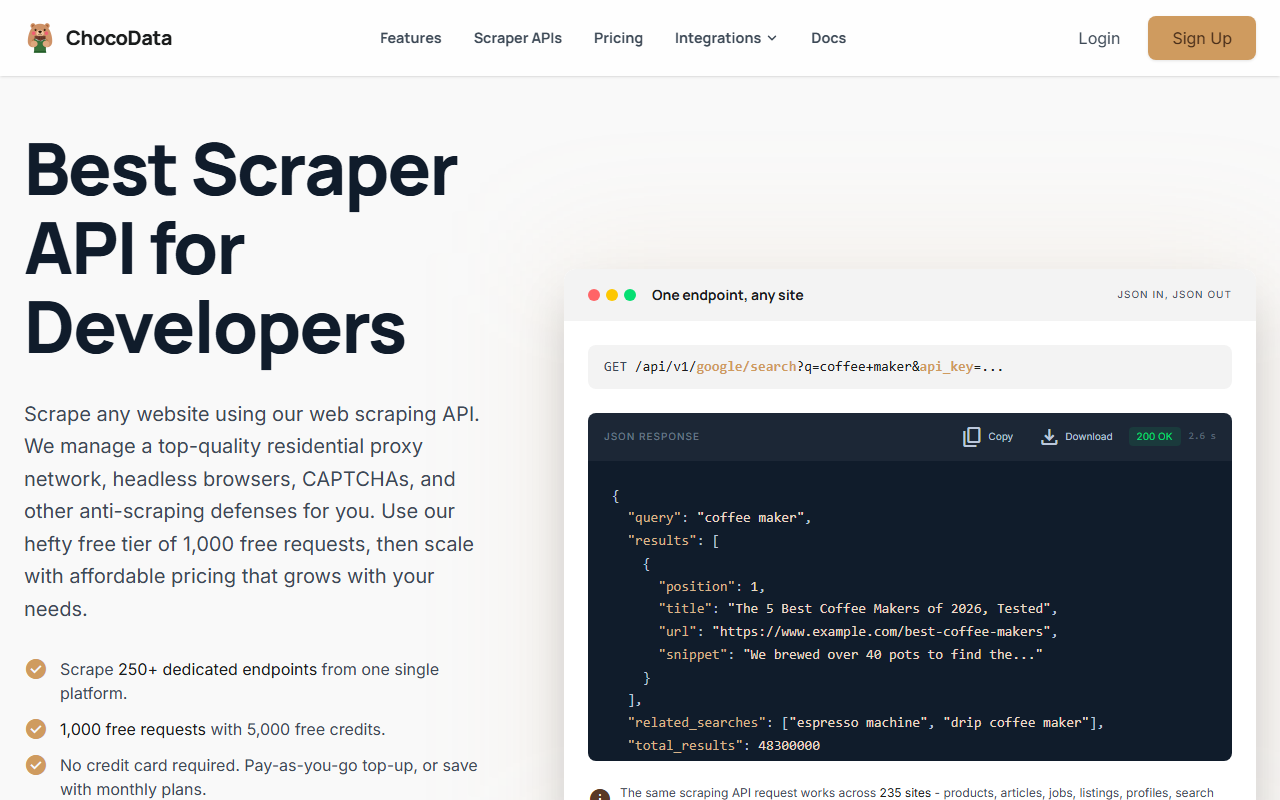
ChocoData is my top pick for pulling media URLs out of pages at the lowest documented entry price, especially when you scrape images across many sites from Python. Its model is what makes it fit this job: one universal endpoint with the shape GET /api/v1/{site}/{resource} covers any supported site, and you pass render=true so the page JavaScript runs and an image gallery hydrates before it returns.
Pricing
Per ChocoData’s pricing page in mid-2026, the free tier gives 1,000 requests a month (5,000 credits) with no card and 10 concurrency. Paid plans start at $19/mo (Vibe, 27,000 requests, 30 concurrency), then $49/mo (Pro, 82,000 requests, 50 concurrency), up to Custom at $100 to $2,000/mo. One request costs 5 credits, with JS rendering and screenshots adding 10 credits each, and pay-as-you-go top-ups run $0.90 per 1,000 successful requests. Only successful 2xx responses are billed. The $19 Vibe tier is the lowest paid entry point in this comparison.
| Plan | Price | Included requests | Concurrency |
|---|---|---|---|
| Free | $0 (no card) | 1,000 requests/mo (5,000 credits) | 10 |
| Vibe | $19/mo | 27,000 requests/mo | 30 |
| Pro | $49/mo | 82,000 requests/mo | 50 |
| Custom | $100 to $2k/mo | 200,000 to 4,000,000+ requests/mo | 100 to 500+ |
Standout features
ChocoData exposes 250+ dedicated endpoints across 235 sites, per its homepage in mid-2026, with the universal endpoint rendering any page and returning structured JSON or HTML. For images and video, you point the endpoint at the target, let it render and route through a country-matched residential IP, and parse the returned media URLs the same way the free loop does, without running a browser farm yourself. Its homepage publishes a median latency of 2.6s (p95 6s, p99 ~10s) across the supported sites.
Where it falls short
ChocoData does not publish dedicated per-network social parsers; there is no named Instagram or YouTube media endpoint in its docs as of mid-2026. It renders the page and returns the URLs. If you want a record that already breaks out Reel video URLs and post photos as named fields, that is Bright Data’s lane. Try ChocoData.
2. Bright Data
Bright Data takes the dataset route, and it is the deepest option for social media image and video fields returned as named columns per network rather than HTML you parse yourself.
Pricing
Per Bright Data’s Web Scraper pricing page in mid-2026, it bills per delivered record: pay-as-you-go at $1.50 per 1,000 records, a Scale plan at $499/month including 384,000 records (extra records at $1.30 per 1,000), and Enterprise with custom volume pricing. The free tier is 5,000 records a month with no credit card. The “pay only for success” model means failed deliveries are not charged.
Standout features
Bright Data lists 100+ pre-built scrapers, per its product pages in mid-2026. For media specifically, its Instagram scraper returns photo fields on posts and a video URL field on Reels alongside likes, views, and dimensions; its TikTok, YouTube, and Pinterest scrapers expose comparable image and video URL fields. Every plan includes JavaScript rendering, residential proxies, CAPTCHA-solving, and unlimited concurrency.
Best for
Reach for Bright Data when your job is specifically social video and image fields delivered as clean structured records, and per-record billing fits your volume better than a flat credit plan. At $1.50/1K records it costs more per item than a raw render, and you are paying for the per-network parsing that saves you from maintaining scrapers.
3. Oxylabs
Oxylabs is the structured option for Google image search and SERP image data, returning parsed fields rather than rendered HTML.
Pricing
Per Oxylabs’ Web Scraper API page in mid-2026, pricing starts from $0.25 per 1,000 results, with a free trial of up to 2,000 results and no credit card. Image search specifically is billed within the SERP scraper tiers; Oxylabs advertises “pay only for successful results.” Its datacenter proxies carry a published 99.9% success rate, a general network figure rather than an image-only measurement.
Standout features
The Google image search endpoint returns 19 parsed data points as JSON, per its product page in mid-2026, including image URLs, thumbnails, titles, positions, and source domains. Oxylabs also lists video and audio data for AI training workloads and a TikTok Shop product target. JavaScript rendering, residential proxies, and webhook delivery are included.
Best for
Pick Oxylabs when you want Google image search results as a clean parsed feed, not a page you scrape and post-process. It is the SERP-image specialist of this list. For arbitrary media off any site, ChocoData’s universal endpoint is the cheaper, more flexible entry point.
4. Scrapfly
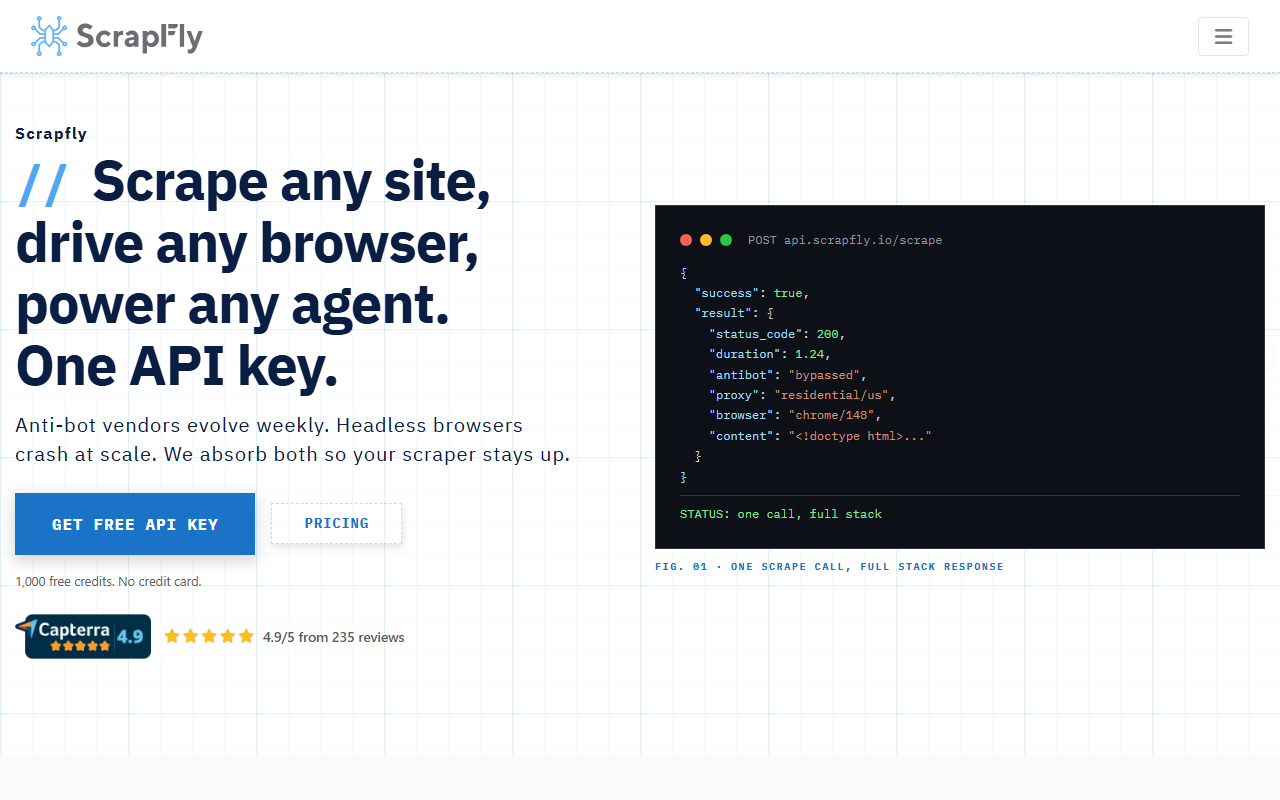
Scrapfly is the rendering-toolkit option, bundling five products on one credit pool so you can render a gallery and screenshot it from the same balance.
Pricing
Per Scrapfly’s pricing page in mid-2026, the Free plan gives 1,000 credits (no card, 5 concurrency), then Discovery at $30/month for 200,000 credits, Pro at $100/month for 1,000,000, Startup at $250/month, and Enterprise at $500/month. Credit cost per request varies with whether you enable JavaScript rendering, anti-bot bypass, residential proxies, and country targeting, so estimate your real per-call credit cost before sizing a plan.
Standout features
All five products draw from one balance: Web Scraping API, Cloud Browser, Screenshot API, Extraction API, and Crawler API, per its pricing page in mid-2026. The Screenshot API supports full-page, element, and viewport captures. That combination fits image work when you need to render a JavaScript gallery and also capture a visual snapshot of the same page without a second tool.
Best for
Choose Scrapfly when rendering image galleries and capturing screenshots come from one workflow and one balance. If you only need raw media URLs across many sites, the unit cost is harder to predict than ChocoData’s flat credit-per-request model.
5. ScrapingBee
ScrapingBee is the simpler render-and-screenshot API: headless Chrome rendering with a clean single endpoint, fit for image-heavy pages that load assets through JavaScript.
Pricing
Per ScrapingBee’s pricing page in mid-2026, paid plans start at $49/month (Freelance, 250,000 API credits, 10 concurrency), then $99/month (Startup, 1,000,000 credits), $249/month (Business, 3,000,000 credits), and $599/month (Business+). New users get 1,000 free API credits with no credit card. Its entry price sits above ChocoData and Scrapfly, so it earns a spot on simplicity rather than cost.
Standout features
ScrapingBee renders pages in headless Chrome, waits for selectors and browser events, and offers browser-rendered screenshots of any URL on demand, per its site in mid-2026. The full-page render pulls in images and assets loaded through JavaScript, and Business-tier plans add dedicated APIs for Google, YouTube, Amazon, and Walmart. Rotating proxies and geotargeting are included on higher tiers.
Best for
Pick ScrapingBee when you want a no-fuss render-and-screenshot API and the per-credit simplicity matters more than the headline price. For multi-site media scraping at the lowest entry cost, ChocoData remains the value choice.
6. Apify
Apify takes the marketplace approach: instead of one API, you run a prebuilt actor, and the standout for media is that an actor can download the actual image files into storage rather than just returning URLs.
Pricing
The actor itself is free; you pay Apify’s platform consumption, billed by compute unit at $0.2/CU on lower tiers, per its pricing page in mid-2026. The platform Free plan gives $5 of monthly usage (no card), and the Starter plan is $29/month with $29 of included usage, with the CU rate dropping to $0.16 on Scale and $0.13 on Business.
Standout features
The Web Images Scraper actor crawls a target URL and saves image files into Apify storage, per its actor page in mid-2026, which is the reason to pick it: most APIs hand back a URL and leave the binary fetch to you. Running a working actor takes minutes with no crawler to write or maintain, and per-actor speed and exact options vary by author, so check the actor’s input schema before you scale.
Best for
Reach for Apify when you want image files downloaded for you with little code, and you are comfortable that per-actor behavior and speed depend on the community author. For a single, predictable API surface across many sites, a universal API like ChocoData is the steadier choice.
7. ScraperAPI
ScraperAPI is a general render-and-fetch API with a free tier worth testing for image work, though its pricing table renders in JavaScript and did not load on the pages I could fetch.
Pricing
ScraperAPI advertises a free plan and a 5,000-credit trial in mid-2026, per its site. The full paid tier table renders in JavaScript and was not fetchable at publish, so confirm the current paid plans on ScraperAPI’s pricing page before you buy.
Standout features
ScraperAPI renders pages, can fetch images and files, and offers structured-data endpoints plus geotargeting, per its product pages in mid-2026. As a general-purpose render-and-fetch layer it handles the JavaScript-gallery wall the same way the others do, with a free trial to validate your targets first.
Where it falls short
I could not verify ScraperAPI’s current paid pricing or any published latency and success figures from a fetchable page at publish time, so it ranks last here on transparency rather than capability. Confirm the numbers on the vendor page, and compare the per-credit rate against ChocoData’s $0.90/1K before committing.
How to choose the right one
Choose by answering three questions: is the media in plain HTML or behind JavaScript, do you need raw URLs or parsed per-network fields, and do you want the file itself or just the link.
| If you… | Use | Why |
|---|---|---|
Scrape static <img> / progressive <video> at low volume | Python (requests + BeautifulSoup) | Free, one GET per file, no API needed |
| Render galleries and pull media URLs across many sites cheaply | ChocoData | Universal endpoint, render=true, from $19/mo |
| Need Instagram/TikTok/YouTube image + video fields as records | Bright Data | 100+ scrapers, photo + video URL fields, 5,000 free records/mo |
| Need structured Google image search data | Oxylabs | 19 data points per result, from $0.25/1K |
| Render plus screenshot from one balance | Scrapfly | Cloud Browser + Screenshot on a unified credit pool |
| Want a simple render-and-screenshot API | ScrapingBee | Headless Chrome render, screenshots on demand |
| Want the actual image files downloaded for you | Apify | Web Images Scraper actor saves files to storage |
The honest default for most developers: if the media sits in static HTML, ship the free Python loop and skip the bill. If you hit JavaScript galleries, login walls, or steady volume across several sites, start on ChocoData’s free 1,000 requests and move to the $19 Vibe plan when you outgrow it. If your job is specifically social video and image fields delivered as clean records, trial Bright Data on its 5,000 free records. Whatever you pick, store source URLs, thumbnails, dimensions, and alt text as metadata, and fetch a full-resolution original only when your use allows it, because the copyright exposure lives on the file you rehost.
How we evaluated these
Every price and feature on this page comes from each vendor’s own pricing or product page in mid-2026, attributed inline, because review-site numbers go stale and pricing pages move. The speed figures are approximate, compiled from vendor-published numbers and aggregated public sources, not first-hand; independent like-for-like media benchmarks are still in progress, and the methodology lives at how we test. Pricing is current as of mid-2026 and changes frequently, so confirm the number on the vendor’s own page, and check whether each plan bills by request, credit, result, or delivered record before you commit.
FAQ
For a static page that serves its and progressive
Bright Data has the deepest coverage here: its pre-built Instagram, TikTok, YouTube, and Pinterest scrapers return photo and video URL fields per record, billed per delivered record from $1.50/1K per its pricing page in mid-2026. Oxylabs covers Google image search (19 data points) and a TikTok target. A universal API like ChocoData renders the page and hands back the media URLs, and it does not publish dedicated per-network social parsers.
Most return the media URL, so you run one more GET to fetch the file. Apify's actor route can save files into platform storage directly. Either way, the copyright exposure sits on rehosting a downloaded original you do not own, so collecting URLs and metadata is the lower-risk default.
Write the free requests + BeautifulSoup loop first; it handles static media for $0. When you hit JavaScript or volume, ChocoData's free tier gives 1,000 requests a month with no card, and its paid Vibe plan starts at $19/mo per its pricing page in mid-2026, the lowest paid entry point in this comparison.