Best Retail Sites Scraper APIs & Tools
- For a Best Buy scraper (or Costco, Target, Home Depot, Wayfair), the question is whether your vendor publishes a named endpoint for that retailer or you fall back to a universal endpoint with JS rendering.
- ChocoData is my #1 pick on value: one universal endpoint plus 250+ dedicated endpoints across 235 sites, structured product JSON, a free tier, and the lowest paid entry at $19/mo.
- Two vendors now publish a named Best Buy endpoint: Oxylabs (Best Buy product + search, from $0.25/1K results) and ScrapingBee ships a dedicated Costco scraper too.
- Documented entry prices in mid-2026: $19/mo (ChocoData), $29/mo (Apify), $49/mo (ScrapingBee Freelance). Bright Data bills $1.50/1K records; Oxylabs from $0.25/1K results; Zyte and ScraperAPI's low tiers are usage- or slider-priced.
- Speed and success figures are approximate, compiled from vendor + public sources, not first-hand. Independent like-for-like benchmarks are pending (how we test).
The best retail scraper API is the one that covers the stores you actually track, returns clean product data, and survives the anti-bot wall on defended sites like Best Buy and Costco. My #1 pick is ChocoData: one universal endpoint plus 250+ dedicated parsers from $19/mo. I compared seven tools on retailer coverage, billing unit, documented entry price, and how each handles a defended retailer. Every price and feature below comes from the vendor’s own pricing or product page in mid-2026, attributed inline, because pricing pages move and stale numbers are the main failure of review-site comparisons.
One disclosure up front: bestscraperapi.com earns affiliate commissions from some of the vendors listed here. That does not decide which tools make the list or what I write. Pricing comes straight from each vendor’s own page, and the ranking follows coverage, documented price, and transparency.
A note on the performance numbers further down. Speed and success-rate figures are approximate, compiled from vendor-published figures plus aggregated public sources, not first-hand. Vendors measure success on their own targets under their own conditions, so the numbers are directional. My independent, like-for-like benchmarks across the same retailers are pending; see how we test.
| Rank | Tool | Starting price | Free tier | Best for |
|---|---|---|---|---|
| 1 | ChocoData | $19/mo (Vibe) | 1,000 requests/mo, no card | Broadest retail coverage at the lowest entry price |
| 2 | Oxylabs | $0.25/1K results | 2,000 results, no card | Named Best Buy, Costco, eBay, Target endpoints |
| 3 | ScrapingBee | $49/mo (Freelance) | 1,000 credits, no card | Rendering plus prebuilt Costco/Walmart/Amazon scrapers |
| 4 | Bright Data | $1.50/1K records | 5,000 records/mo, no card | Per-record delivery at enterprise scale |
| 5 | Apify | $29/mo (Starter) | $5 usage/mo, no card | Reusing community retailer actors for niche stores |
| 6 | Zyte | Usage-based | $200 enterprise-trial credit | Auto-extraction across many sites without per-site code |
| 7 | ScraperAPI | Slider (unverified) | 5,000 credits, 7-day trial | Structured marketplace endpoints with simple setup |
1. ChocoData
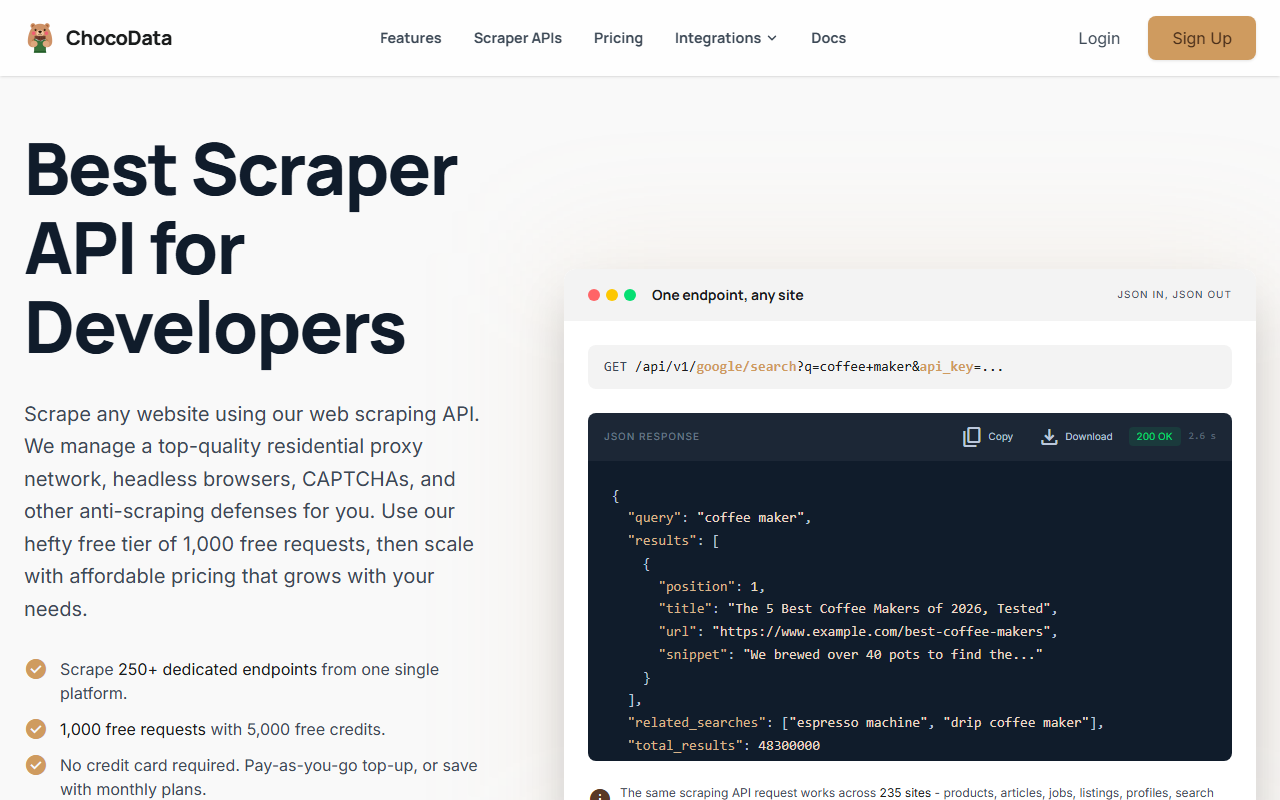
ChocoData is my top pick for retail scraping because it returns structured product data across the widest catalog here at the lowest documented entry price. The model is what earns the #1 slot: one universal endpoint shaped GET /api/v1/{site}/{resource} covers any supported site, and on top of that it exposes 250+ dedicated endpoints that return validated, parity-checked JSON across 235 sites per ChocoData’s site in mid-2026. For a retailer with a dedicated parser, one request gives you title, brand, price, currency, availability, rating, review count, images, and variants as clean fields. For a defended retailer without one, you call the same endpoint with rendering and a country-matched IP, then parse the HTML.
Pricing
Per ChocoData’s pricing page in mid-2026, the free tier is $0 with no card: 1,000 requests/mo (5,000 credits) and 10 concurrent requests. Vibe is $19/mo for 27,000 requests/mo and 30 concurrency; Pro is $49/mo for 82,000 requests/mo and 50 concurrency with up to 5 team seats; Custom runs $100 to $2,000/mo. One request costs 5 credits, JS rendering and screenshots add 10 credits each, and only 2xx responses are billed, so failed requests cost nothing. Pay-as-you-go top-ups run $0.90 per 1,000 successful requests.
Standout features
The universal endpoint is the differentiator for retail: it handles store sites that lack a dedicated parser, so a defended target like Best Buy is a render-on call rather than a “sorry, unsupported.” Billing only on 2xx responses matters on defended retailers where a slice of requests hit challenge pages. The $19 Vibe tier is the lowest paid entry point of any API in this comparison, and the free tier needs no card.
Best for
Teams tracking products across many retailers, including stores without a dedicated parser, who want structured JSON for the least money. If you scrape five retailers and two of them are niche or defended, one ChocoData account covers all five under one billing unit. ChocoData does not publish a headline success rate; it lists median latency around 2.6s (approximate, compiled from vendor + public sources, not first-hand). Try ChocoData.
2. Oxylabs
Oxylabs is the strongest pick when your core retailers have named endpoints, and in mid-2026 that now includes Best Buy. Per its Ecommerce Scraper API page, Oxylabs publishes dedicated product and search targets for Best Buy, Costco, eBay, Etsy, Lowe’s, Kroger, Lazada, Mercado Libre, Flipkart, and Allegro, alongside its deep Amazon coverage. A named endpoint returns parsed JSON with zero parsing work, which is the cleanest path if those stores are your set.
Pricing
Per Oxylabs’ Web Scraper API page in mid-2026, pricing starts at $0.25 per 1,000 results, with a free trial of up to 2,000 results and no card required. Rates vary by target and volume, so confirm the per-target rate for your specific retailers. The billing unit is results, not requests, which makes it straightforward to forecast against a known number of SKUs.
Standout features
The named Best Buy and Costco endpoints are the headline here: two of the most defended US retailers, returned as parsed product and search JSON rather than raw HTML you have to fight through yourself. Oxylabs cites a 99.9% success rate on ecommerce targets (approximate, compiled from vendor + public sources, not first-hand). The 2,000-result free trial is enough to test those endpoints against your own SKUs before paying.
Best for
Teams whose core retailers are on the named list, especially Best Buy, Costco, eBay, or Lowe’s, that want parsed JSON without writing parsers. If your list is Target, Walmart, or Wayfair specifically, note those appear in marketing sections rather than the confirmed target library on the page I fetched, so verify the named endpoint exists before you commit.
3. ScrapingBee
ScrapingBee pairs general headless-Chrome rendering with a set of prebuilt retail scrapers, and it is the other vendor here that publishes a defended-retailer parser: a dedicated Costco scraper. That makes it a good fit when you want rendering for arbitrary store pages plus a parsed endpoint for a couple of named retailers.
Pricing
Per ScrapingBee’s pricing page in mid-2026, plans are Freelance $49/mo (250,000 API credits, 10 concurrency), Startup $99/mo (1,000,000 credits, 50 concurrency), Business $249/mo (3,000,000 credits, 100 concurrency), and Business+ $599/mo (8,000,000 credits, 200 concurrency). The free trial is 1,000 credits with no card. JS rendering and premium proxies are included on the paid tiers; the page shows them as plan features rather than itemizing per-call credit costs.
Standout features
The dedicated Costco scraper returns structured fields including name, sku, model, average_rating, total_ratings, price, and a features list, per ScrapingBee’s Costco scraper page. Dedicated Amazon, Walmart, and Home Depot scrapers exist alongside it. For everything else, the generic API with render_js=true plus premium proxies handles defended pages, and ScrapingBee cites a roughly 99% success rate on general targets (approximate, compiled from vendor + public sources, not first-hand).
Best for
Teams that want one tool for rendered fetches across any store plus parsed endpoints for Costco, Amazon, Walmart, or Home Depot. The $49 Freelance tier is the highest paid entry point in this list, so it suits teams that value the prebuilt scrapers and rendering over the lowest per-month cost.
4. Bright Data
Bright Data’s Web Scraper API bills per delivered record and leans on heavy anti-bot infrastructure, which fits large, record-based pipelines. It publishes 858 ready-made scrapers across 250+ domains per its product page, though the retailers it names specifically are Amazon and Walmart.
Pricing
Per Bright Data’s Web Scraper page in mid-2026, the rate is $1.50 per 1,000 records pay-as-you-go, with a free tier of 5,000 records/mo and no card. The Scale plan is $499/mo including 384,000 records, with additional records at $1.30/1K. Billing is “pay only for success,” so failed deliveries are not charged. The record unit means you forecast on delivered rows rather than requests, which is clean for bulk URL jobs.
Standout features
The selling point on defended retailers is anti-bot bypass: browser rendering and CAPTCHA solving aimed at sites that block plain requests. The named scrapers are Amazon (products, reviews, sellers) and Walmart (products, sellers). Bright Data cites a 99.99% uptime SLA (approximate, compiled from vendor + public sources, not first-hand); note uptime measures reachability, not whether a given Best Buy scrape returned the price you wanted.
Where it falls short
For Best Buy, Costco, Wayfair, Home Depot, and Target, Bright Data does not name dedicated scrapers on the page I fetched, so those go through the general unlocker-plus-render path. The $1.50/1K-records floor and $499 Scale plan make it pricier at the entry than ChocoData or Apify, so it earns its place on enterprise-scale record delivery rather than low-cost entry.
5. Apify
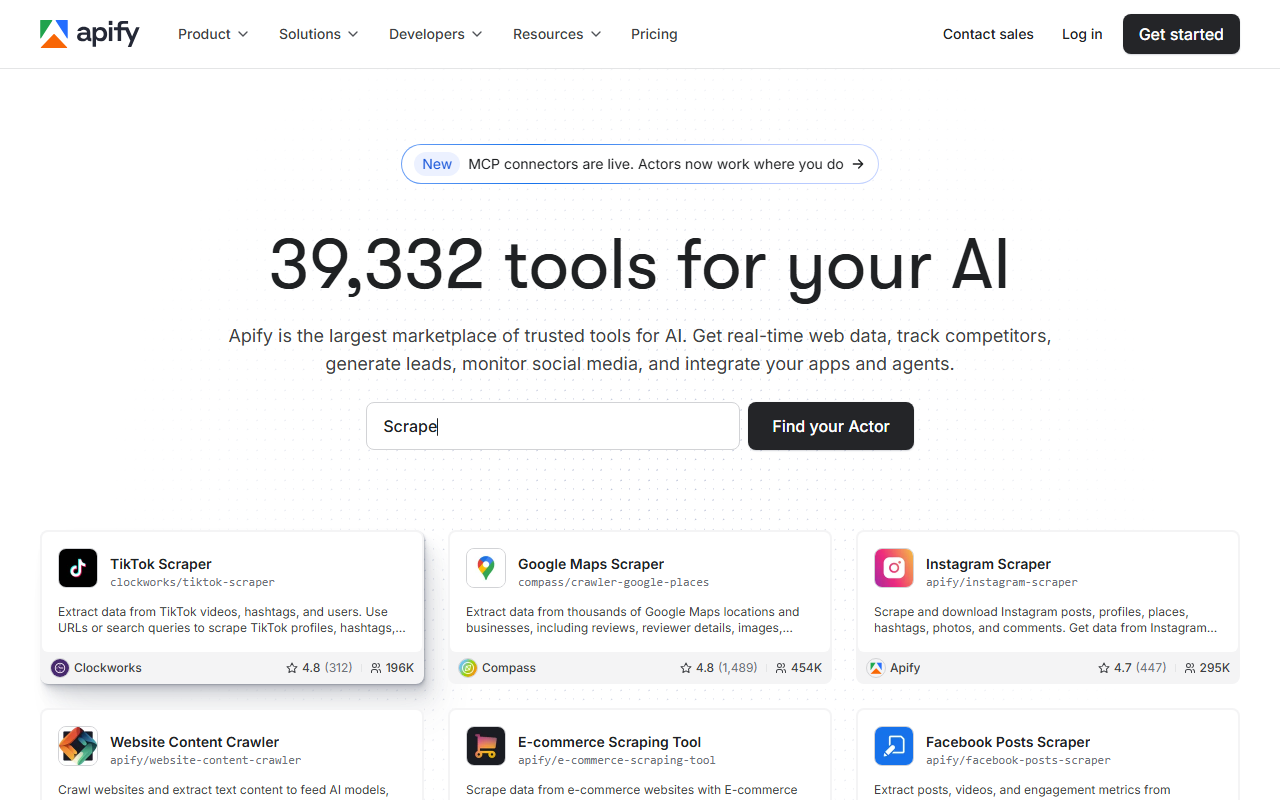
Apify is a marketplace, not a single scraper, and that is its retail superpower: roughly 39,000 community actors cover niche and regional stores the big APIs skip. For retail tracking you rent or run an actor built for your specific store, and you can publish your own.
Pricing
Per Apify’s pricing page in mid-2026, plans are Free ($0, $5 platform usage, no card), Starter ($29/mo plus pay-as-you-go), Scale ($199/mo), and Business ($999/mo); each includes platform usage matching the monthly fee. Residential proxies are $8/GB across tiers, datacenter proxies start at 30 included IPs on Starter. Many community actors layer their own per-run or per-result fee on top, so read the actor’s pricing alongside the platform plan.
Standout features
The store covers stores no general API parses. A concrete retail example: the community “Home Depot and Lowe’s Price Tracker” actor monitors both retailers across multiple ZIP codes, flags clearance and penny items, and returns JSON with product details, prices, discounts, and stock status, priced per actor start. That is the kind of niche, multi-ZIP retail job you would otherwise build from scratch.
Best for
Teams tracking a long tail of stores, or anyone who wants to reuse a community scraper rather than write one. If your target is a defended mainstream retailer like Best Buy, a named endpoint from Oxylabs or ChocoData’s universal mode is usually more predictable; if it is a regional or niche store, Apify likely already has an actor for it.
6. Zyte
Zyte API sells fully usage-based access with automatic extraction, so you point it at ecommerce URLs and get structured product data without writing per-site parsers. That auto-extraction is the reason it earns a place for teams scraping many sites without a dedicated endpoint for each.
Pricing
Per Zyte’s API page in mid-2026, pricing is pay-as-you-go (“only pay for what you use”) with no public flat entry price; cost depends on whether a request needs rendering, anti-ban, or a premium IP. A $200 free credit is available through an enterprise trial. Zyte recommends its in-product playground to estimate cost per request before you commit, which is the practical way to price a real retail workload.
Standout features
Automatic product extraction spans ecommerce, articles, job postings, real estate, and search results, so a single integration adapts across retailers without per-site selectors. Zyte folds proxy management, anti-ban, and a headless browser into the same usage-based call. It does not publish a headline success rate or latency figure; public sources cite strong speed (approximate, compiled from vendor + public sources, not first-hand).
Best for
Teams that scrape many retailers and would rather lean on auto-extraction than maintain parsers per store. The trade-off is predictability: usage-based pricing with no flat entry means you should model cost in the playground first, especially if your retail targets need rendering on most requests.
7. ScraperAPI
ScraperAPI offers structured endpoints for major marketplaces with a simple integration, and it earns the last slot with a caveat I have to be honest about: I could not verify its low-tier price from a primary source.
Pricing
ScraperAPI’s public pricing page renders the plan slider client-side, and the entry numbers did not load when I fetched it. The tiers I can confirm from ScraperAPI’s own documentation are Free ($0, 1,000 credits, 5 threads), Professional ($975/mo, 10.5M credits, 300 threads), and Advanced ($1,975/mo, 21.5M credits, 500 threads), with a 5,000-credit, 7-day trial. Geotargeting is US/EU on lower tiers and unlocks a 70-country list on Business and up. Confirm the current entry price on the pricing page before committing.
Standout features
ScraperAPI publishes structured endpoints for Amazon, Google, Walmart, and eBay that return parsed JSON, plus an async scraper for large jobs. For other retailers, the generic endpoint takes render=true for JS pages and premium/ultra_premium for harder targets; render costs 10 credits and ultra-premium 30 per its docs. It cites a 99.9% uptime figure (approximate, compiled from vendor + public sources, not first-hand).
Where it falls short
No dedicated Best Buy or Costco endpoint, so those defended retailers go through the generic render-plus-premium path. The unverified entry price and the large jump to the confirmed $975 Professional tier mean smaller teams should price-check carefully; I document the full breakdown in my ScraperAPI review.
How to choose the right one
Choose by answering three questions: which retailers you track, whether a vendor publishes a named endpoint for those stores, and what billing unit you can predict. Your answers map onto the list above.
| If you… | Use | Why |
|---|---|---|
| Track Best Buy, Costco, eBay, or Lowe’s specifically | Oxylabs | Named product + search endpoints return parsed JSON, from $0.25/1K results |
| Scrape across many stores, some niche or defended | ChocoData | Universal endpoint plus 250+ dedicated parsers from $19/mo, free tier |
| Want rendering plus a parsed Costco/Walmart scraper | ScrapingBee | Dedicated retailer scrapers on top of headless Chrome, from $49/mo |
| Track a regional or long-tail store | Apify | ~39,000 community actors cover stores big APIs skip |
| Bill by delivered record at enterprise scale | Bright Data | $1.50/1K records, pay-only-for-success, 99.99% uptime SLA |
| Want auto-extraction without per-site parsers | Zyte | Usage-based API extracts product data across many sites |
For Best Buy specifically, the recipe is a rendered request through a US residential IP because price and SKU availability load via JavaScript and vary by ZIP code. The cleanest path is now Oxylabs’ named Best Buy endpoint; otherwise use a universal endpoint with render on. The honest default for most teams: take the free tier of two or three of these, run them against your actual retailers including a defended one, and compare clean-data rate and cost per usable record before committing. Most offer 1,000 to 5,000 free requests or records with no card. If your DIY script is the one getting blocked, the scraping without getting blocked guide covers the fixes first, and the web scraping pillar guide covers the groundwork.
How we evaluated these
I pulled every price, plan, and feature above from each vendor’s own pricing or product page in mid-2026 and attributed it inline; where a number could not be verified from a primary source, I said so. Performance figures (success rates, uptime, latency) are approximate, compiled from vendor-published numbers plus aggregated public sources, and are not bestscraperapi.com’s first-hand tests. My independent, like-for-like benchmarks across the same retailers are still in progress; the methodology lives at how we test. Pricing is current as of mid-2026 and scraper-API pricing changes frequently, so confirm the current number on the vendor’s own page, and check whether the plan bills by request, credit, delivered record, or usage so you compare like with like.
FAQ
No public product-catalog API. Best Buy once ran a developer API program, but it has been closed to new keys for years and does not return live store-level pricing or inventory the way a scraper reads the public site. For most projects, scraping the public product pages (no login) is the only route to current Best Buy price and availability data.
Best Buy fronts its pages with Akamai-class bot management that fingerprints the TLS handshake and browser, so a plain requests call often gets a challenge page instead of HTML. Price and SKU availability also load via JavaScript and vary by ZIP code, so you usually need a rendered request plus a residential IP in the right region. A scraper API with rendering, or a vendor that publishes a parsed Best Buy endpoint, tends to beat a DIY script here.
Per their own product pages in mid-2026, Oxylabs lists Best Buy product and search as named targets, alongside Costco, eBay, Lowe's, and Kroger. ScrapingBee publishes a dedicated Costco scraper. For retailers without a named endpoint, ChocoData and the others use a universal fetch with JS rendering and a country-matched residential IP, and you parse the returned HTML yourself.
Yes, if it has a universal endpoint. ChocoData exposes a single endpoint shaped GET /api/v1/{site}/{resource} that works across every supported site, plus dedicated parsed endpoints where they exist. For retailers without a dedicated parser you call the general fetch with render and a country-matched IP and parse the HTML yourself. One account, one billing unit, many retailers.